16 stops

A tour of Remembry.

A guided look at what the app does, with the screen beside each thing. These are 16 of the 101 things in the Index — the ones that show best in a picture. Each stop says whether it is free or part of Premium.

Entering your items

Start here: get your things in.

The features below come alive when you've added some things. There are different ways to do it because the right one depends on whether you're holding a phone, a box, or a spreadsheet. A free account holds 100 items and 20 AI scans a month ; Premium removes the monthly limit.

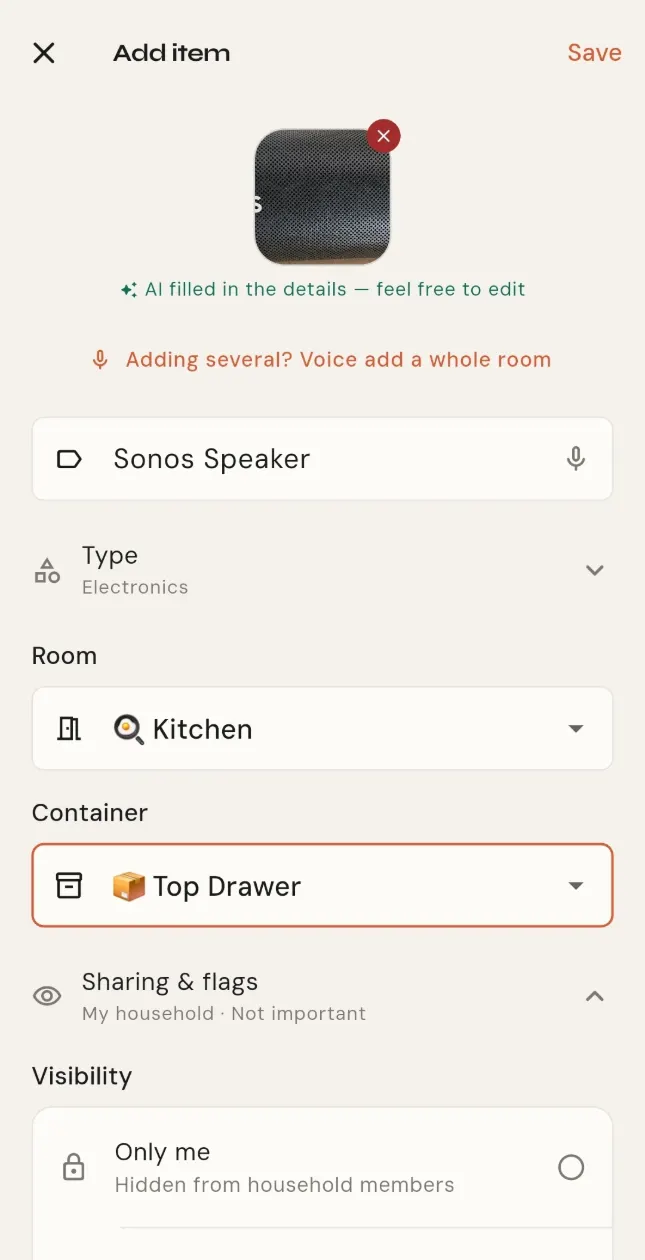
The add-item form after a photo scan, with the photo at the top and the name, category and value filled in.
1 / 16Free

Photograph an item

One photo fills in the name, type, brand and model.
  1. The camera is already open. Photograph the label, or the thing itself.
  2. Name, type, brand and model fill themselves in. Correct anything it got wrong.
  3. Pick the room and save.
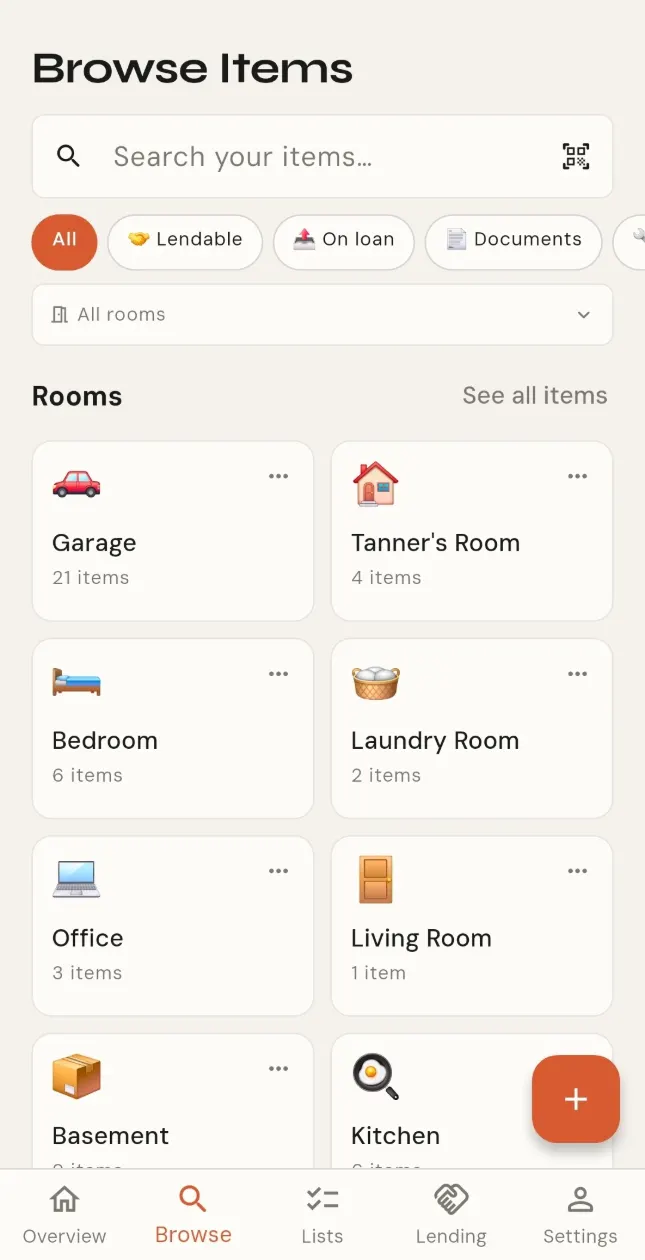
Browse showing a grid of rooms, each with an emoji, its name and how many items it holds.
2 / 16Free

Rooms and containers

Attic → blue bin → camera. A real map, not a flat list.

  1. Browse opens on your rooms. Tap one to see what is in it.
  2. Add a container to a room, a bin or a drawer or a shelf, and put items in it.
  3. Anything you look for later comes back as room, then container.
Finding what you own

Find any of it again?

A hundred things in boxes is a worse problem than a hundred things on the floor — unless you wrote down which box.

Browse showing a grid of rooms, each with an emoji, its name and how many items it holds.
3 / 16Free

Search everything

By name, room, container or type.

  1. Type any part of a name, a room, a container or a type.
  2. Tap a result to see where it is and what is with it.
Renewals and upkeep

Stop paying for things you forgot about?

The subscription you meant to cancel two months ago renews every March.
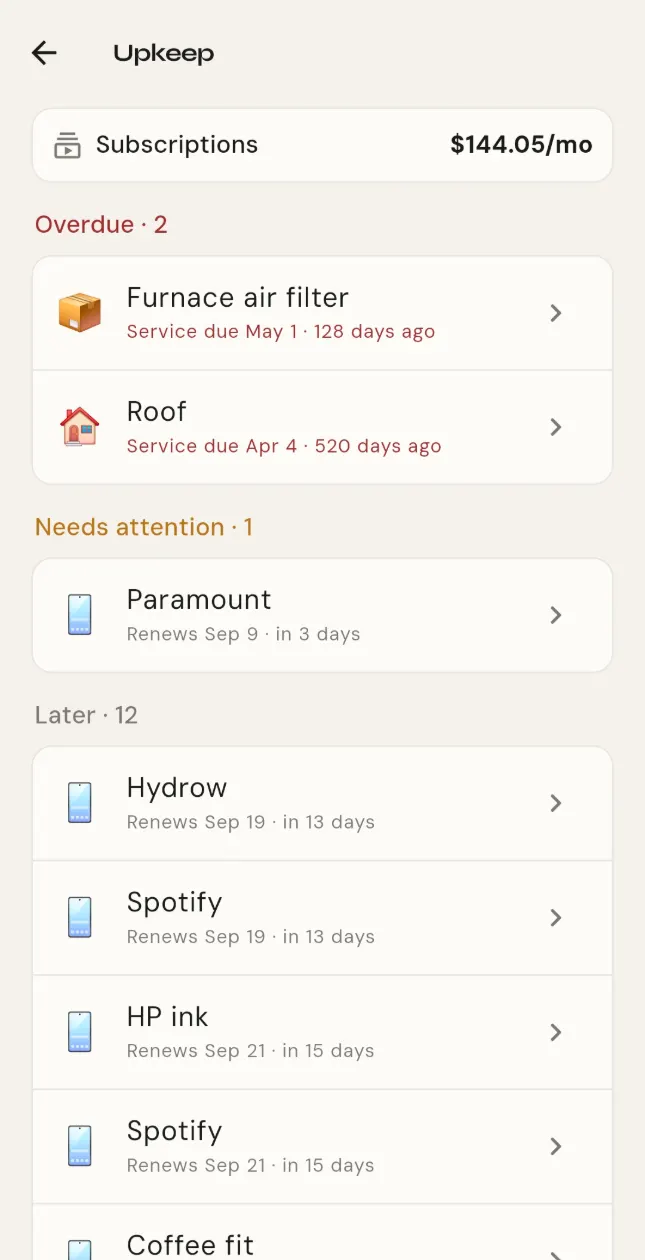
The Upkeep list: a subscription renewing, a filter due, a warranty ending and worn gear, soonest first.
4 / 16Free

Subscription renewals

A nudge seven days out, one day out, and the morning of.

  1. Add a subscription and give it its renewal date.
  2. Upkeep lists it with everything else that falls due, soonest first.
  3. An optional nudge arrives seven days out, one day out, and the morning of.
Moving helper

Pack without forgetting anything?

Packing lists usually start from a blank page. Yours can start from what you actually own.
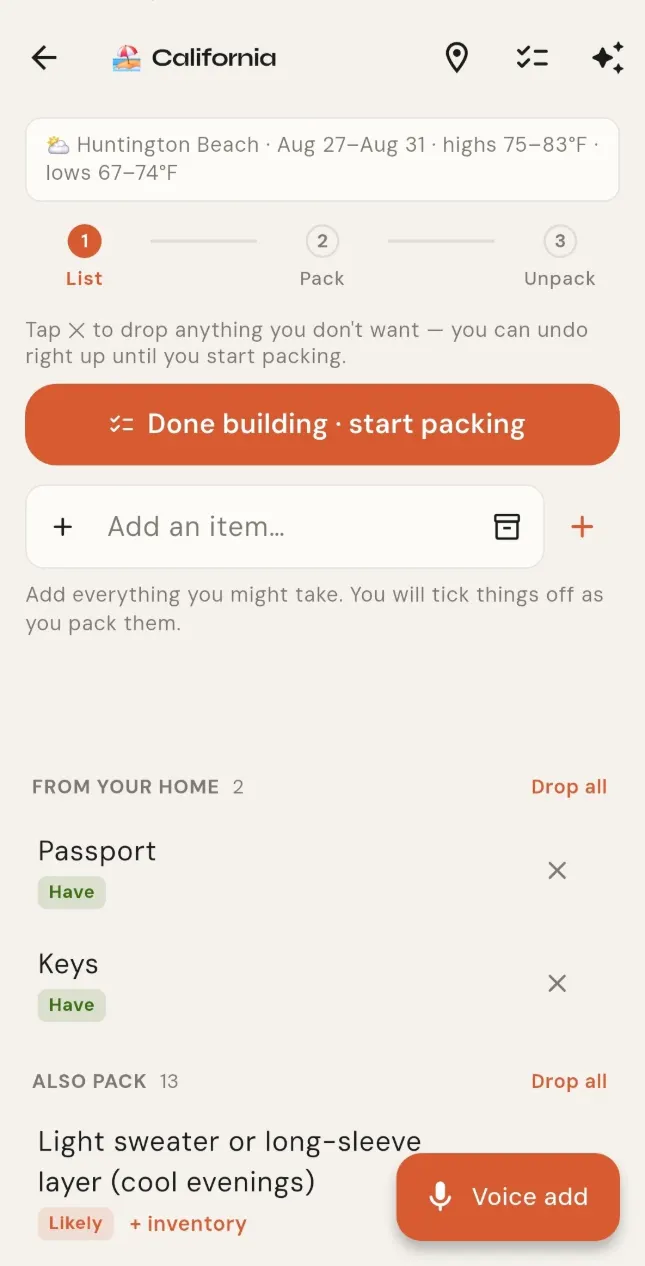
A packing list with items ticked off, each showing the room it lives in.
5 / 16Premium

Let it build the list

Trip, dates and weather in; a customized list out.

  1. New list, then a trip. Give it the destination and the dates.
  2. It checks the weather and builds the list, matched to what you already own.
  3. Take off what you do not need. Add what it missed.
Lending and borrowing

Lend the drill instead of storing it?

You use it twice a year. Four people on your street are about to buy one.
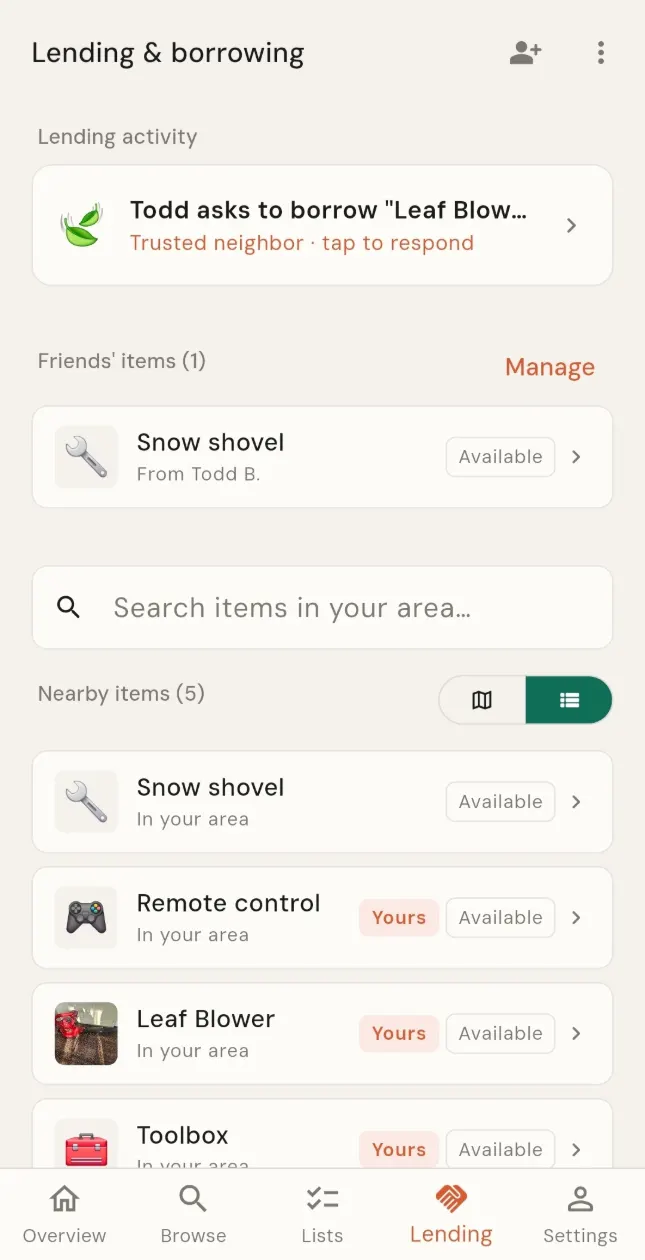
The Lending tab: a map with a few nearby items marked on it and a list of what neighbors are lending.
6 / 16Free

Lend to neighbors

List the things you rarely use or borrow instead of buying that rarely used item.
  1. Set your neighborhood. Only a rough area is ever shown.
  2. Open any item you rarely use and set its visibility to Neighborhood.
  3. When someone asks to borrow it, you approve, and only then do they see how to reach you.
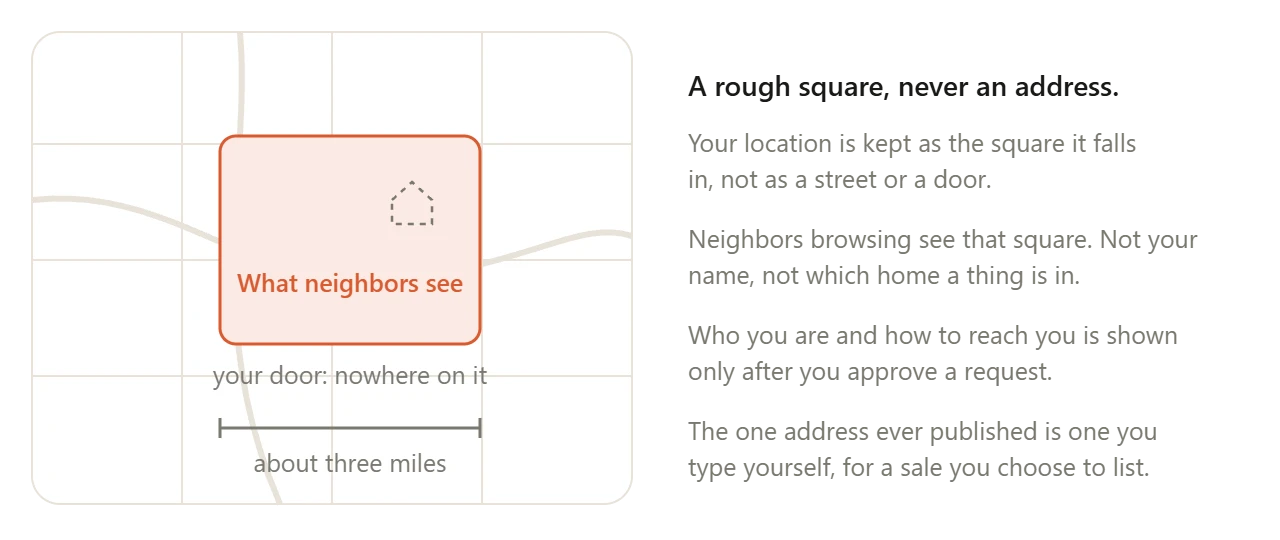
A map square about three miles across, shaded as the only thing neighbors see. Your door is not marked anywhere on it.
7 / 16Free

Nobody sees your address

Neighbors see a rough area about three miles across. Never your name, never a door.

  1. Your location is kept as a rough square about three miles across, never as an address.
  2. A borrower sees how to reach you only after you approve their request.
Collections

Make something of a collection?

Some things you own aren't inventory. They're a collection, and they deserve to be shown as one.
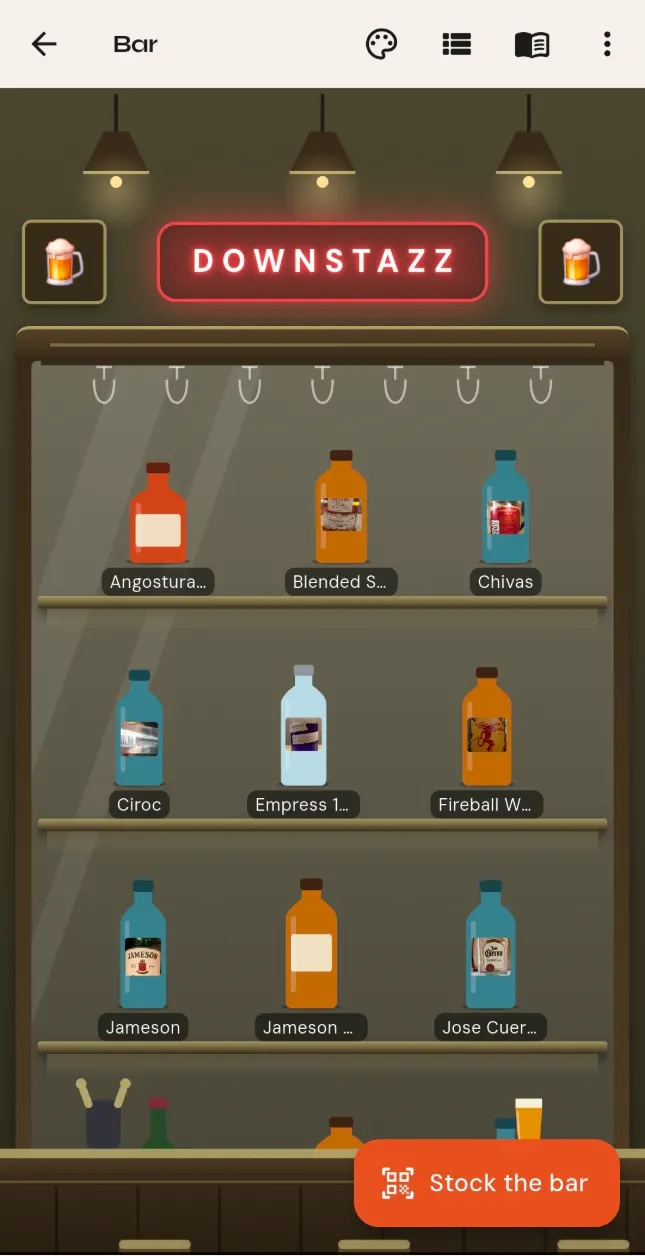
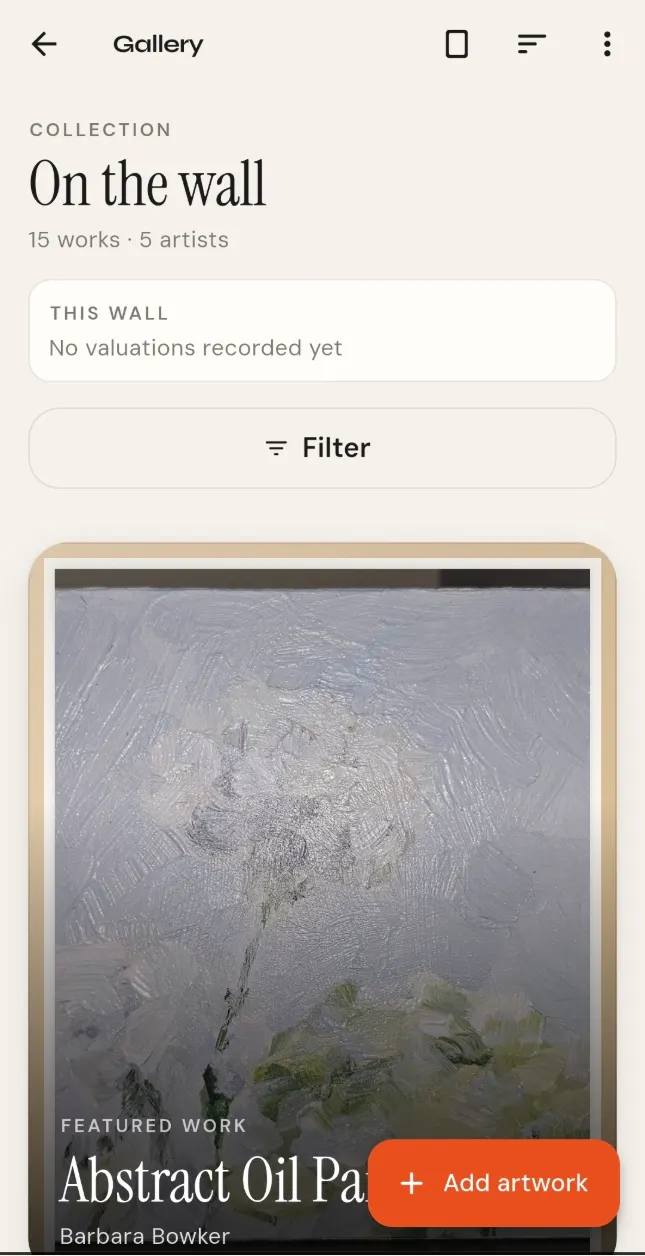
The bar: bottle silhouettes on a shelf, each wearing the label from its own photo.
8 / 16Free

The bar

Bottle silhouettes wearing your own photographed labels, on a shelf you pick the theme for.
  1. Add a bottle by photographing its label, or scan a whole shelf at once.
  2. Each one stands on the shelf as a silhouette wearing its own label.
  3. Pick the shelf's theme.
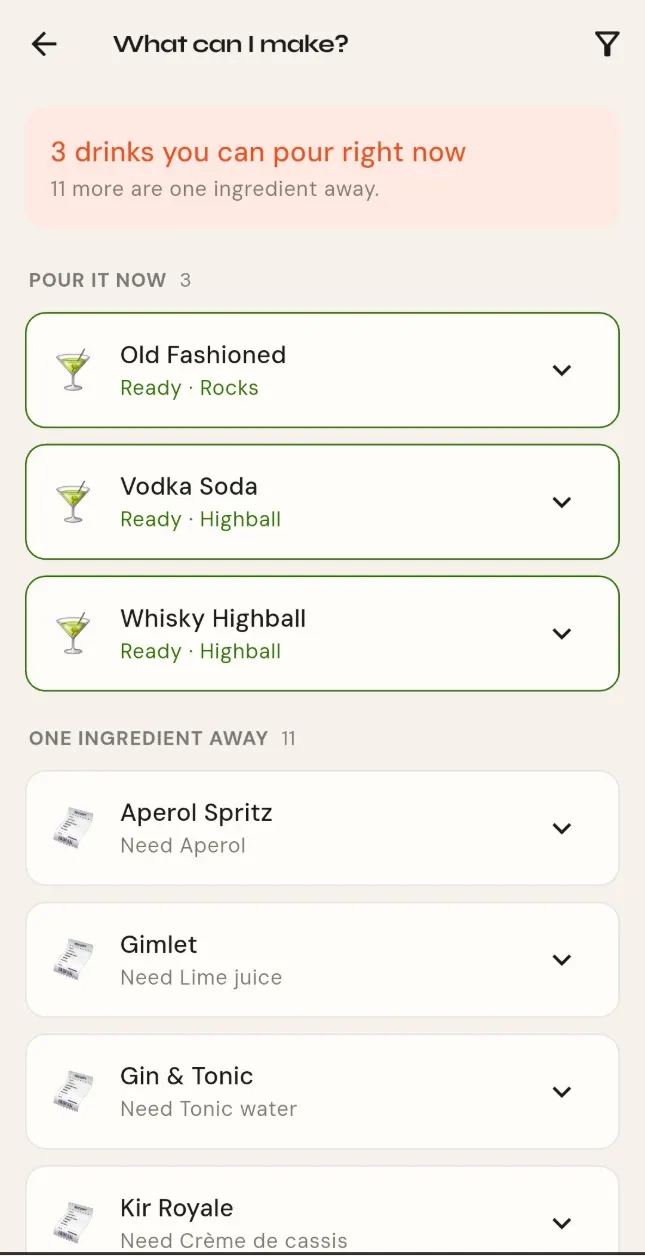
Drink recipes sorted by what the shelf can make, each naming the bottles it needs.
9 / 16Free

Drink recipes

Thirty-eight classics, matched against what's actually on your shelf.
  1. Thirty-eight classics, sorted by what you can make tonight from the bottles on your shelf.
  2. Tap a bottle in the bar to see only its drinks.
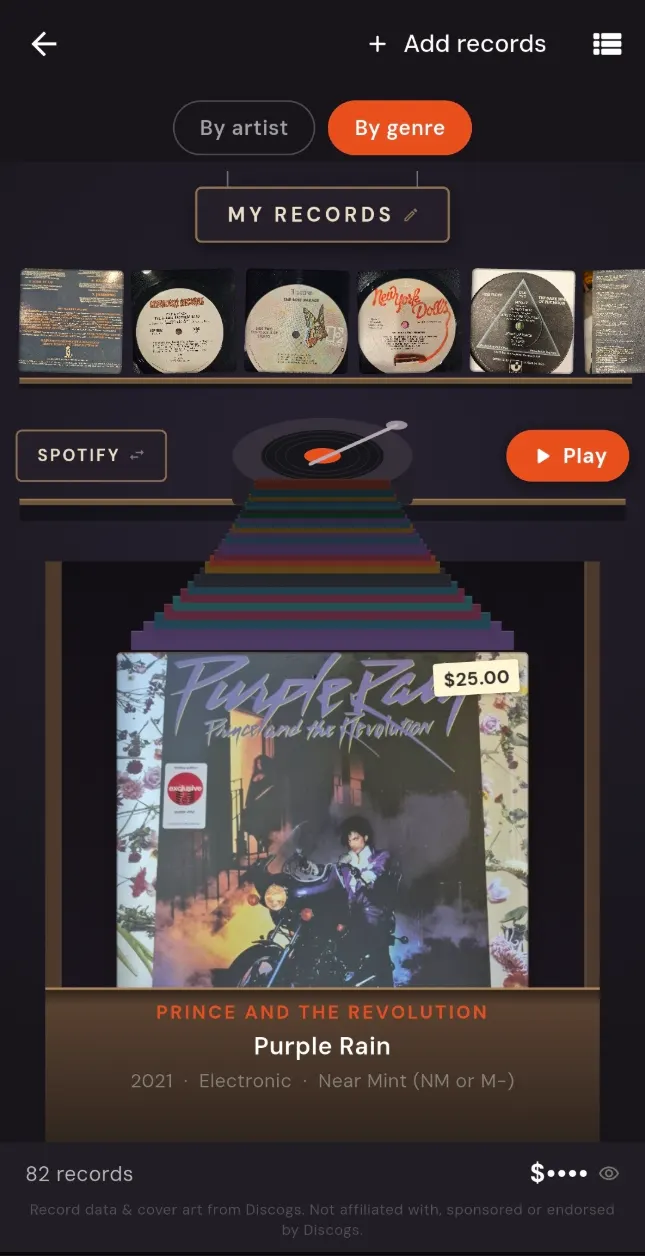
The record store: sleeves standing in a crate behind a divider, as in a shop.
11 / 16Free

The record store

Your vinyl in crates you can flip through, with dividers that fall where a shop would put them.

  1. Add a record by scanning its barcode. The cover comes from Discogs.
  2. Flip through the crates. Dividers fall where a shop would put them.
Books and reading

Do something with the books?

A shelf of books is a list you already own. It is worth reading, lending and arguing about.
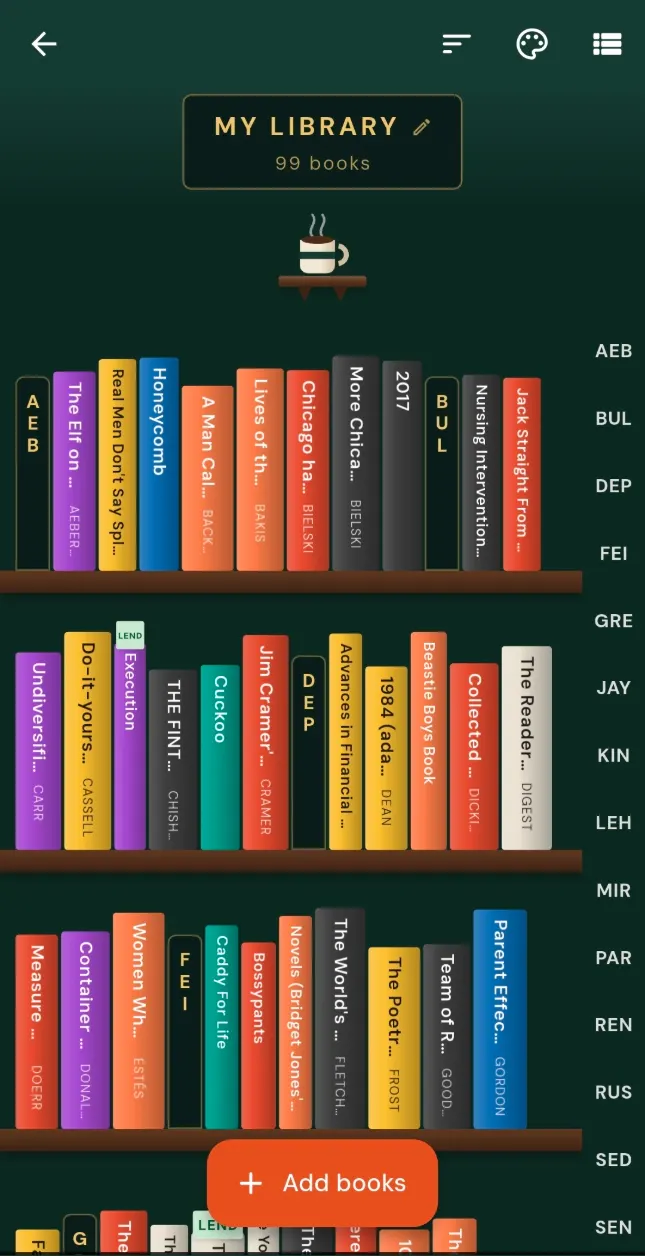
The library: book covers in a row on a shelf.
12 / 16Premium

Scan a shelf of books

Point the camera down a shelf and the spines come back as separate books.

  1. One close shot along the shelf, spines readable.
  2. Each spine comes back as its own book with its cover. Drop any it misread.
  3. Save. They land on your shelf in the library.
Selling and moving on

Turn the spare room back into a room?

The hard part of selling a thing is never the thing. It is the listing, the strangers, and giving out your email.

13 / 16Premium

A fact sheet for the buyer

The systems and appliances that stay with the house — make, model, install date, warranty, who serviced it and when — on one page a buyer can hold. Owner-reported, and never a serial number.
  1. Mark what stays with the house: on an appliance or system, Conveys with home.
  2. Open the fact sheet. Anything missing an install date or a service record is pointed out, so you can fill it in first.
  3. Save the PDF, or hand it to your agent. Serial numbers stay with you.

See a sample fact sheet →

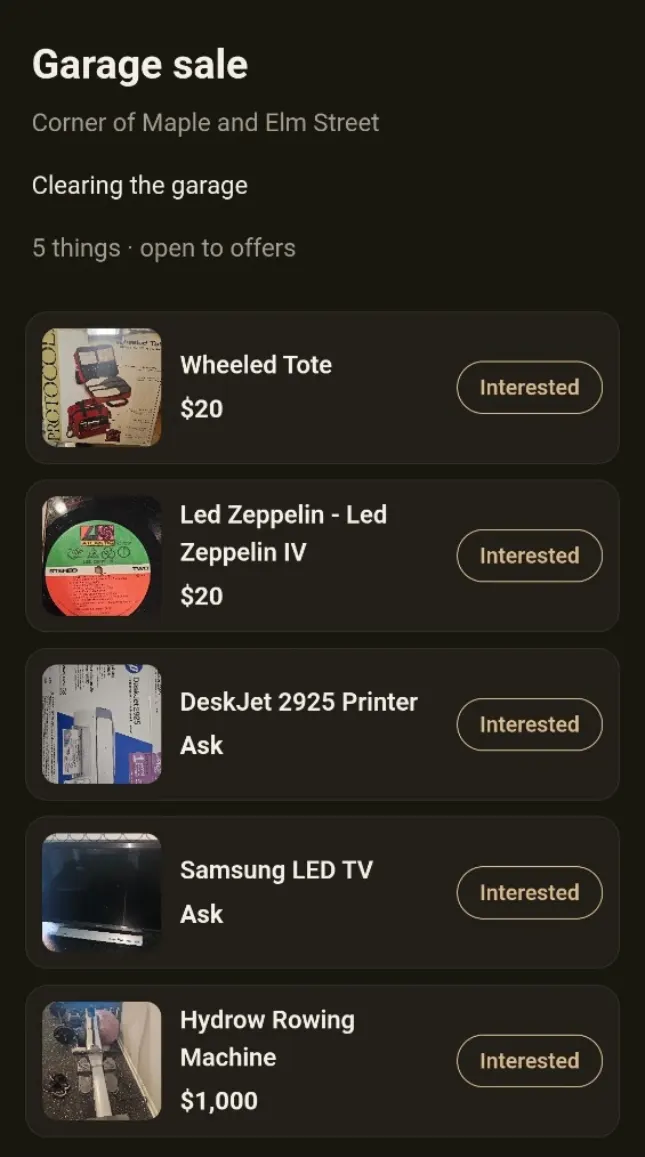
A garage sale page in a browser: five things with photos and prices, each with an Interested button.
14 / 16Free

A garage sale page

Your whole sale as one public page with a link and a QR code. No app needed to browse it.
  1. Your live sale opens, if you have one. If not, tap New sale and add the things you marked to sell.
  2. Under the QR code: Copy link, or Share. Show the code on your phone, or print it for the sign at the end of the drive.
  3. Buyers browse it in a browser. No app, no account.
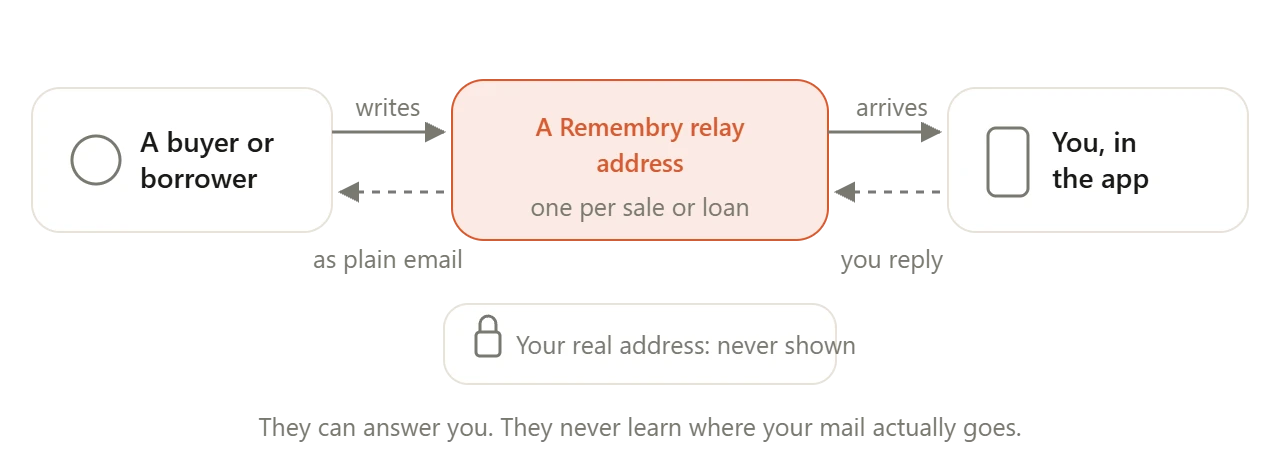
A buyer or borrower writes to a Remembry relay address. The message reaches you in the app, your reply goes back through the same relay, and your real address is never shown.
15 / 16Free

A reply address that is not yours

Publish a Remembry address instead of your own. Buyers write to it, you read it here, and your real inbox never appears.

Your data, and who can read it

Know who can read any of this?

A list of everything you own is worth protecting more carefully than most of what is on it.
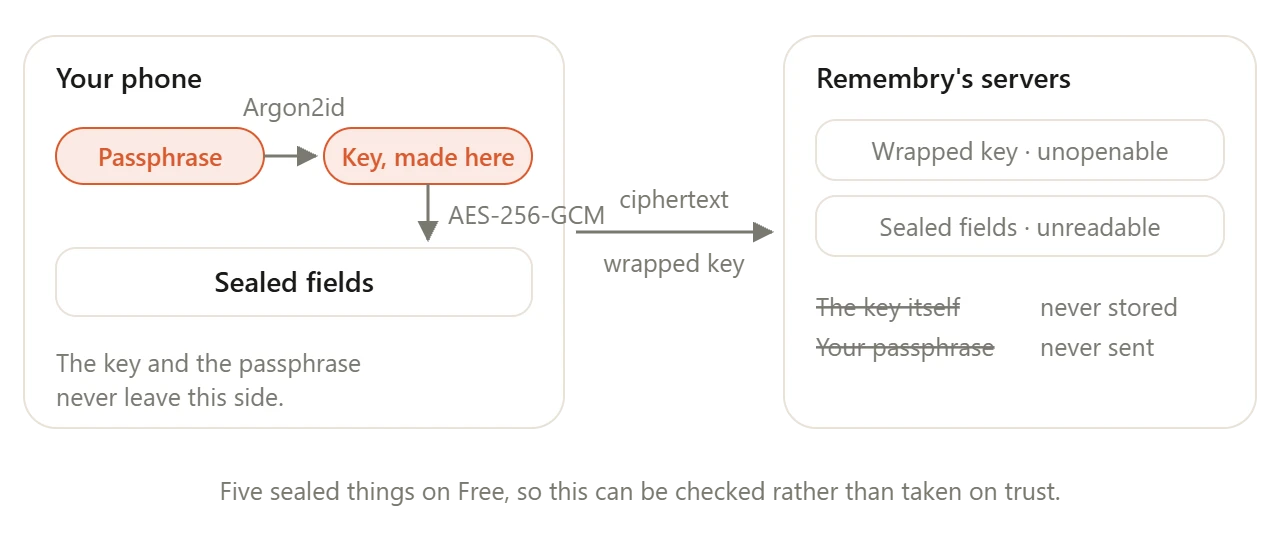
On your phone, a passphrase makes a key and the key seals the fields. Only ciphertext and a wrapped key travel to Remembry's servers, which never hold the key or the passphrase.
16 / 16Free

A vault only you can open

The key is made on your device and wrapped with your passphrase using Argon2id. Remembry stores the wrapped key and the encrypted fields — never the key itself, and never your passphrase. Translation - sealed items are encrypted and not visible to us or others.

  1. Choose a passphrase.
  2. Write down the recovery code it gives you. Nobody can reissue it.
  3. Seal any item. Five are free, and the sealed fields leave the phone as ciphertext.

That is 16 of 101.

Free to start, and most of what you saw stays free: 100 items, 20 AI scans a month, reminders, lending and packing lists. No card, and no trial that quietly turns into a bill.